Customer account extensions
Important: This feature only works if your store has been upgraded to Shopify's new Customer Accounts.
If you are still using Legacy customer accounts, this extension will not appear. Please contact our support team for assistance or see our guide on adding a manual PDF link.
Access the settings
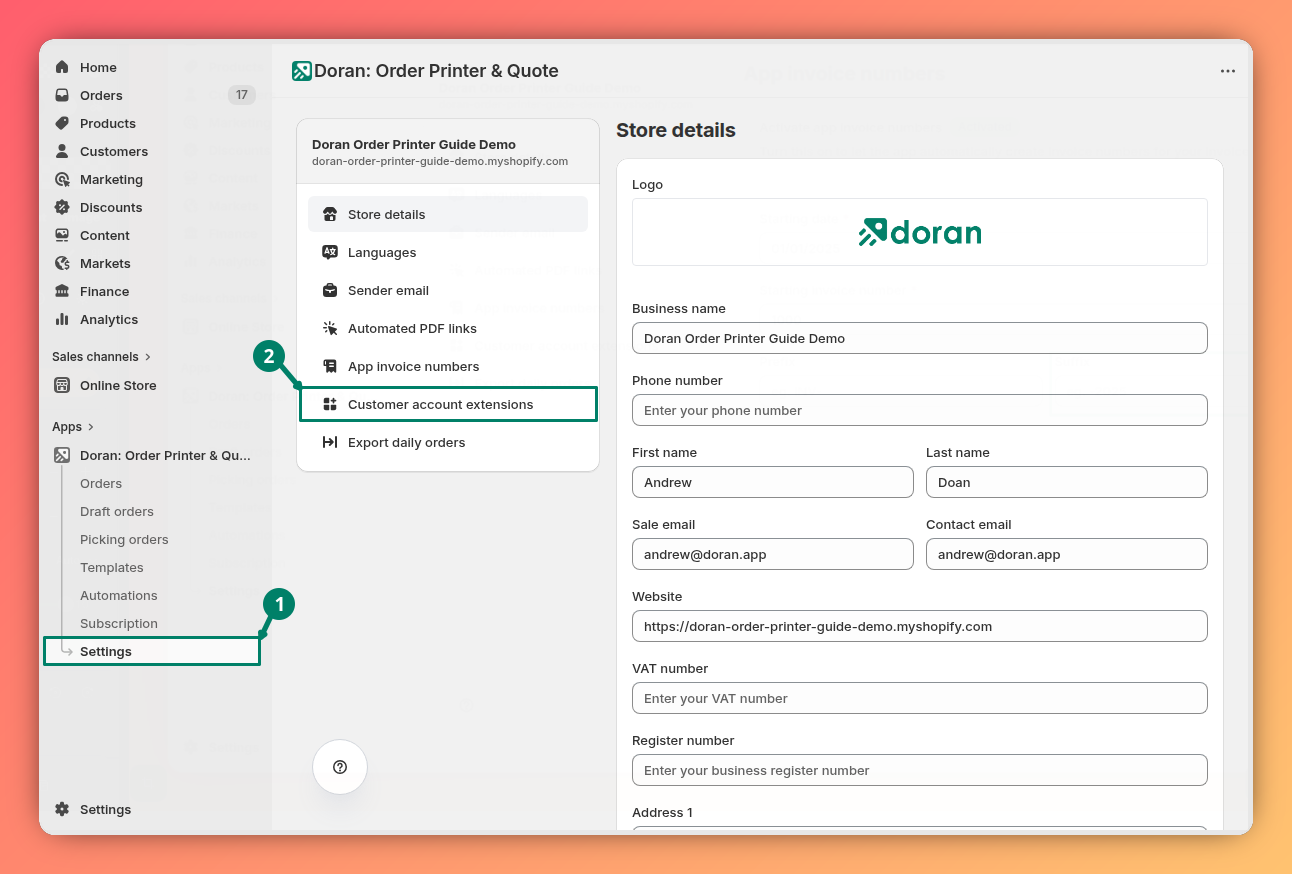
You can find the settings for this feature by navigating to Settings > Customer account extensions in our app.
Customize the download card
This section allows you to control the appearance of the invoice download card that customers will see in their account.
- Show heading: Check this box to display the card's title. Uncheck it to hide the title.
- Show description: Check this box to display the descriptive text on the card. Uncheck it to hide the description.
- Template: Select the invoice template you want customers to download.
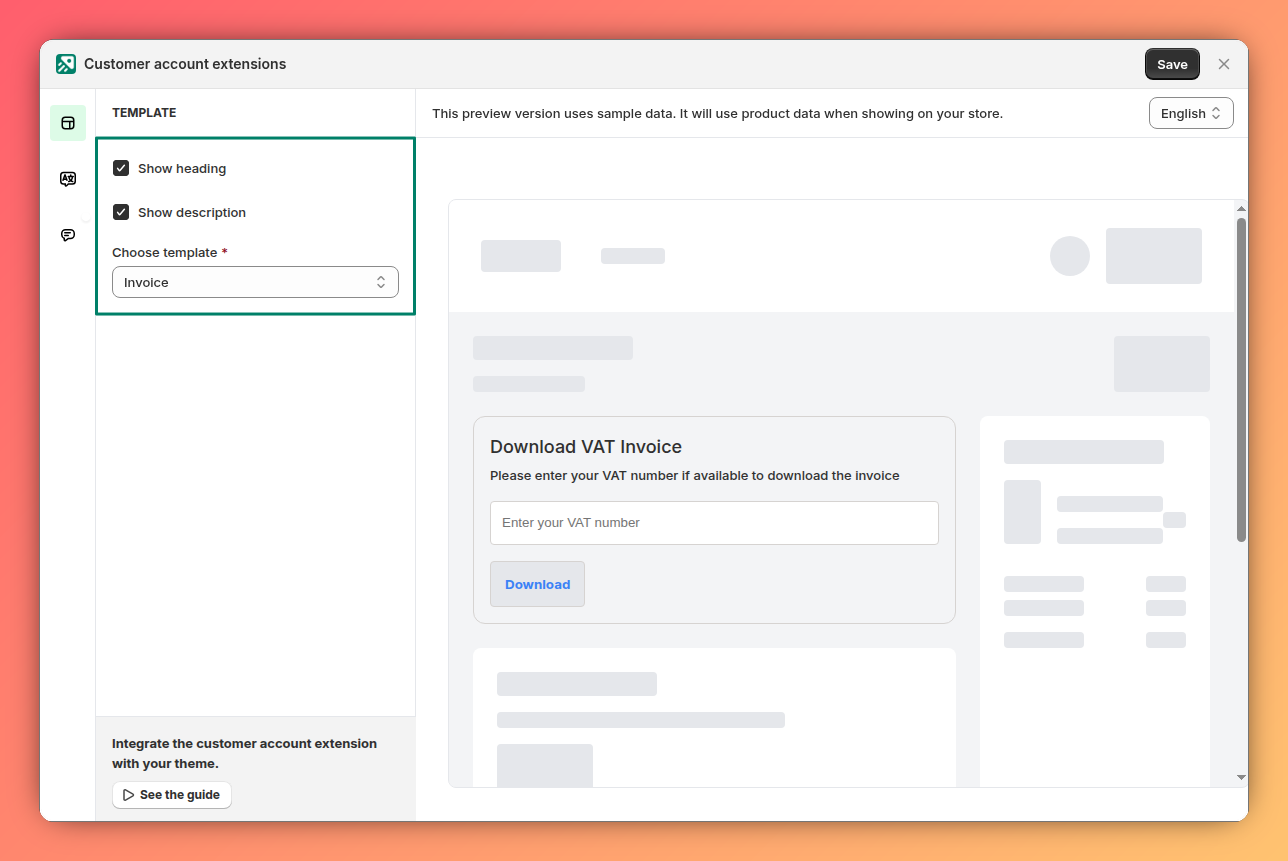
You must select a template from the dropdown menu. If no template is chosen, the download card will not be displayed to your customers.
Activate the extension in your store
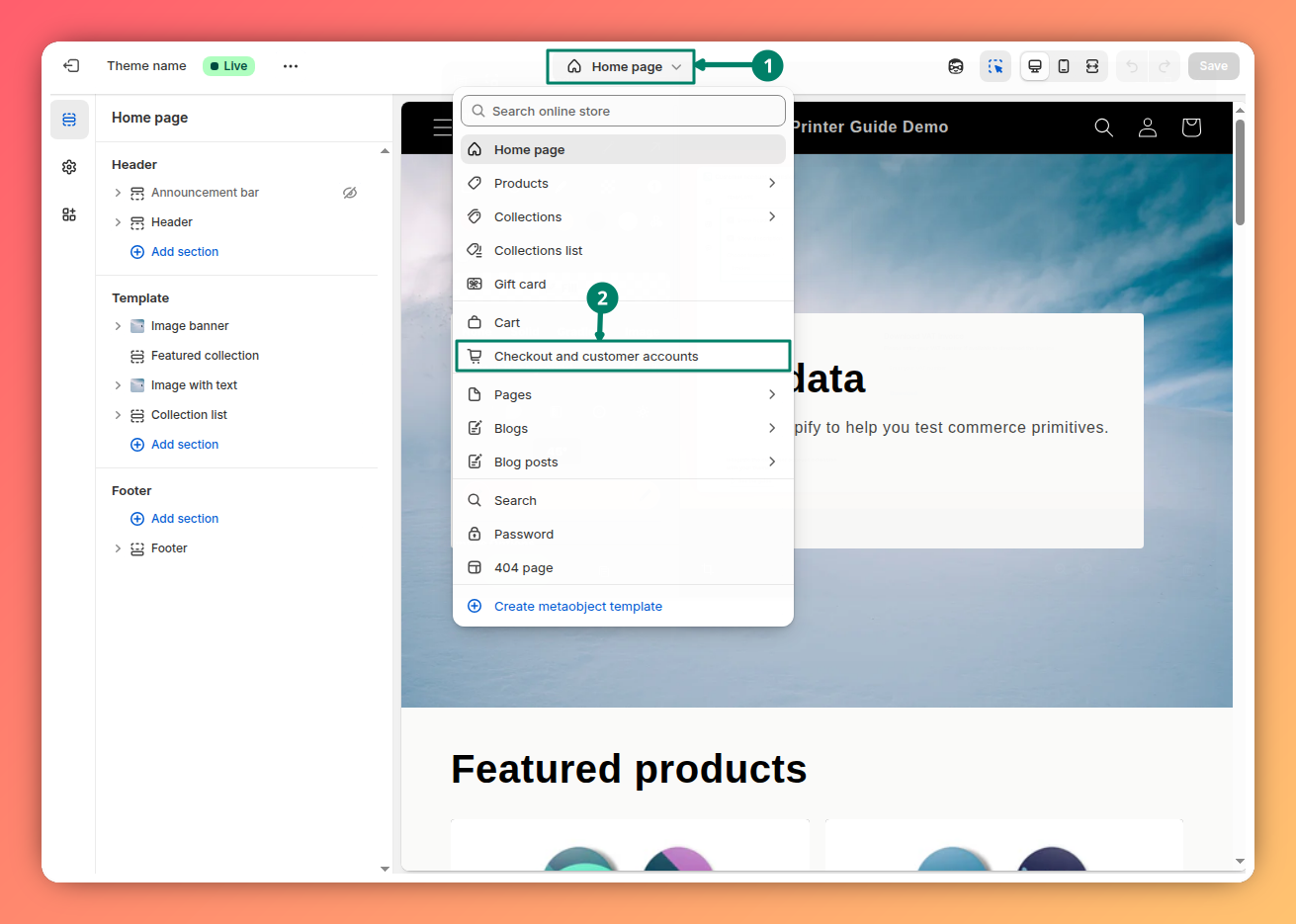
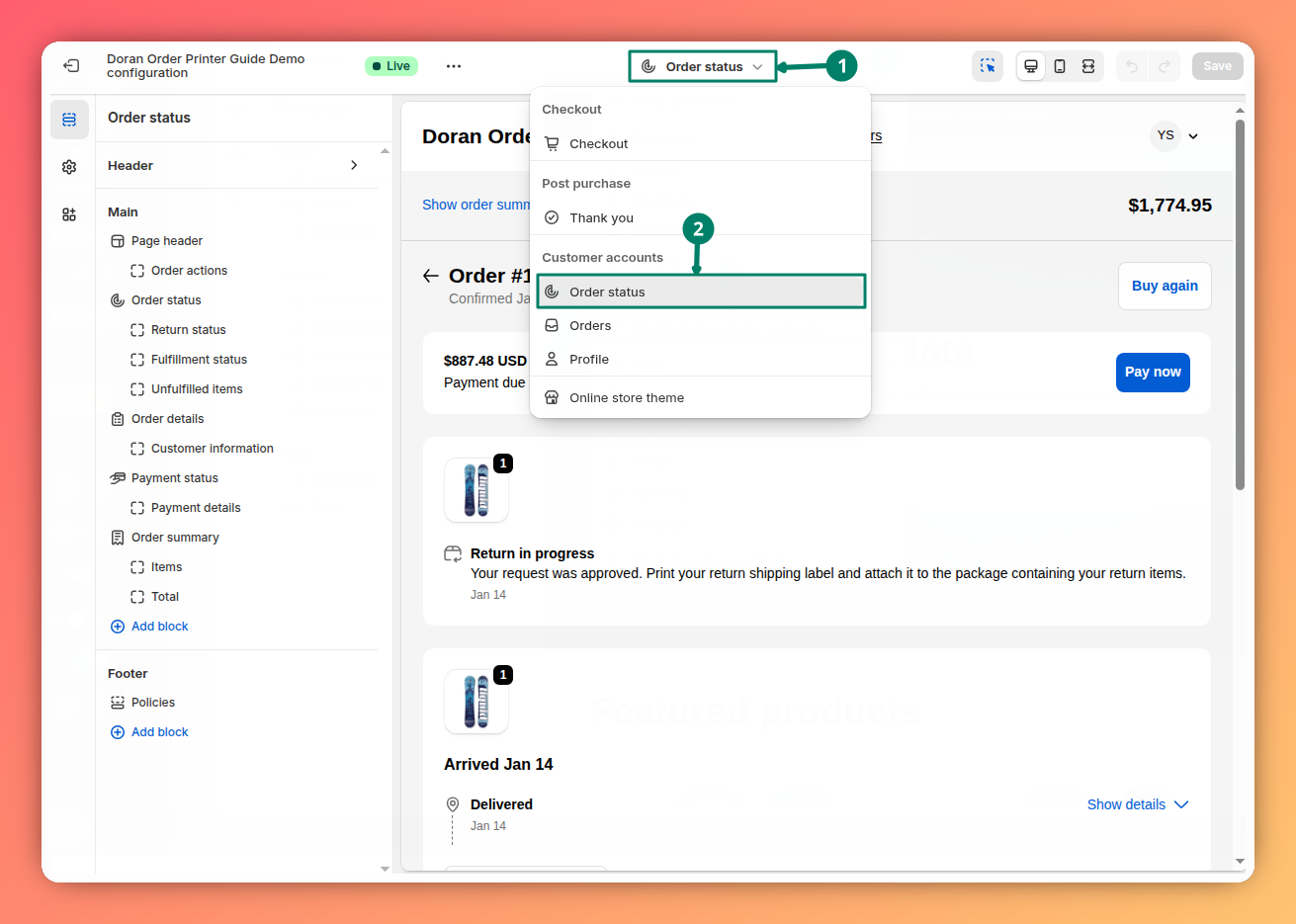
After configuring the settings in our app, you must enable the extension in your Shopify admin for it to appear on your customer account pages.
Open your theme editor
To get started, you need to open your theme editor
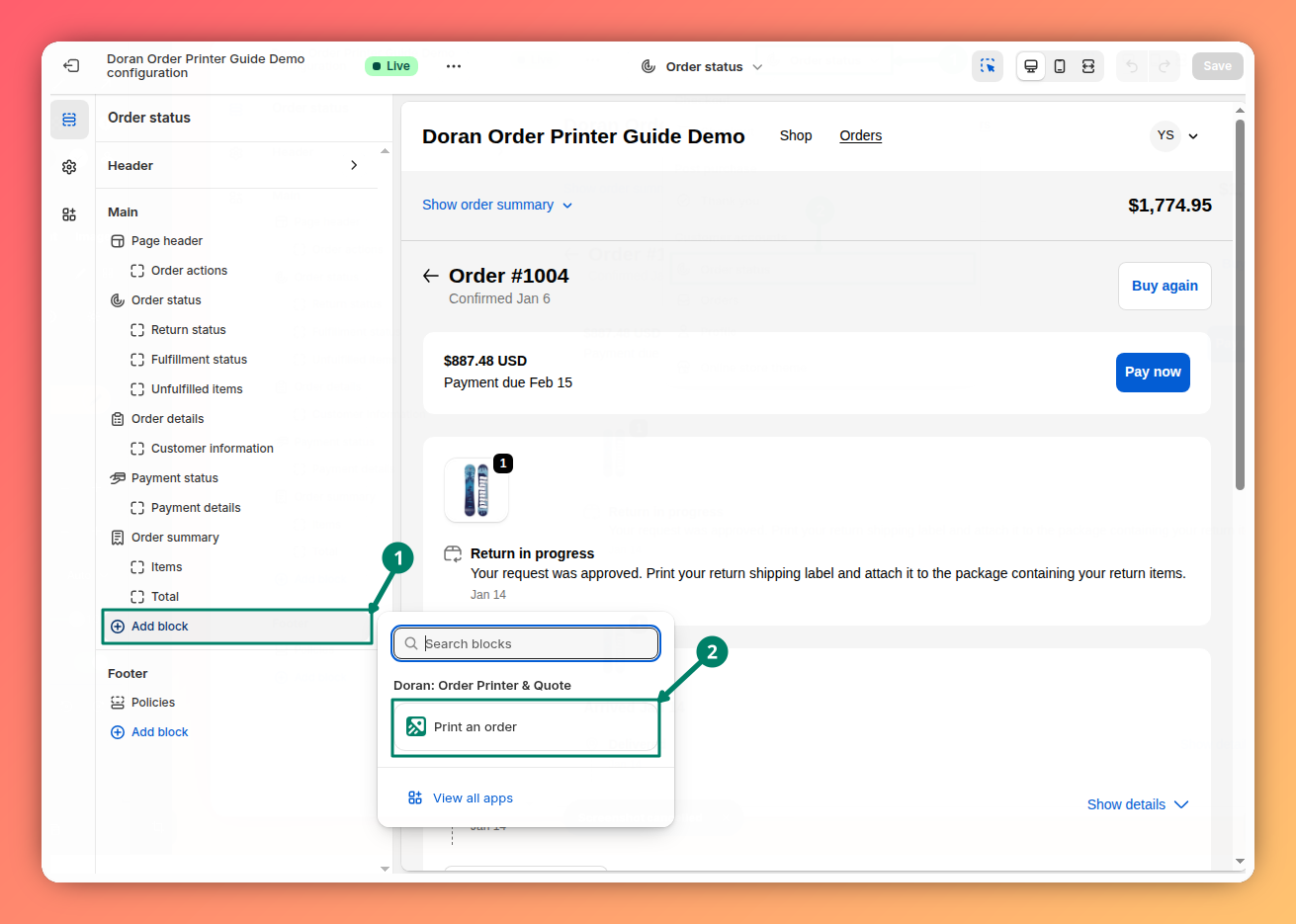
Save your changes
Click Save in the top right corner to apply the changes.
Once saved, the download card will appear in the order history for customers using the new Shopify Customer Accounts.
App invoice numbers
Learn how to create custom invoice numbers for your orders. This guide covers how to enable the feature, set a reset date, define a starting number, and add custom prefixes and suffixes to match your business needs.
Export daily orders
Learn how to automatically receive daily emails containing PDF documents for your orders. This feature helps you streamline your daily bookkeeping and archival processes by sending invoices and other documents directly to your inbox.