App invoice numbers
The App invoice numbers feature allows you to generate custom invoice numbers that better suit your accounting practices. Unlike Shopify's default sequential order numbers, you can configure a numbering system that resets periodically, such as at the start of each year or quarter.
Access the menu
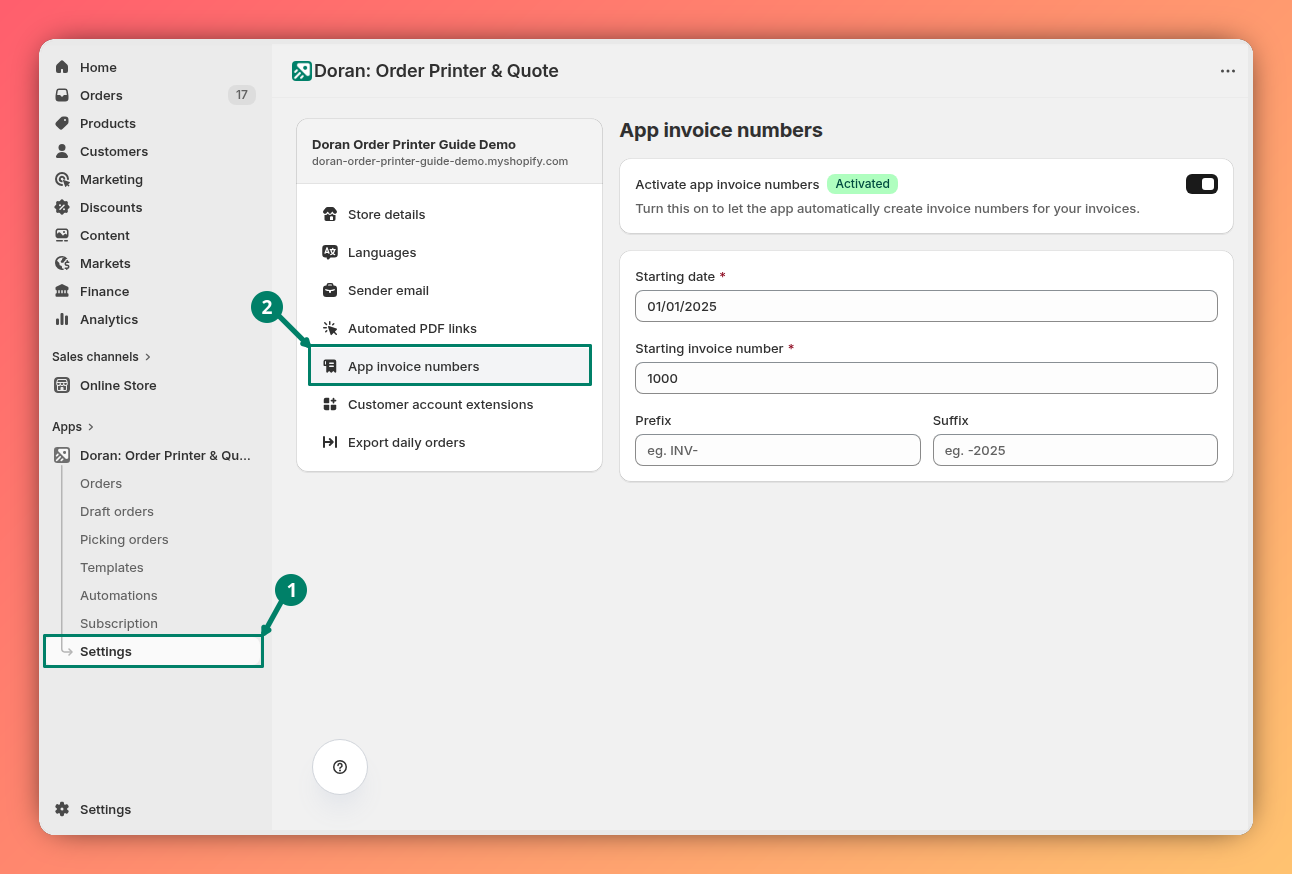
You can find this feature by navigating to Settings > App invoice numbers within the app's main menu.
Enabling and disabling the feature
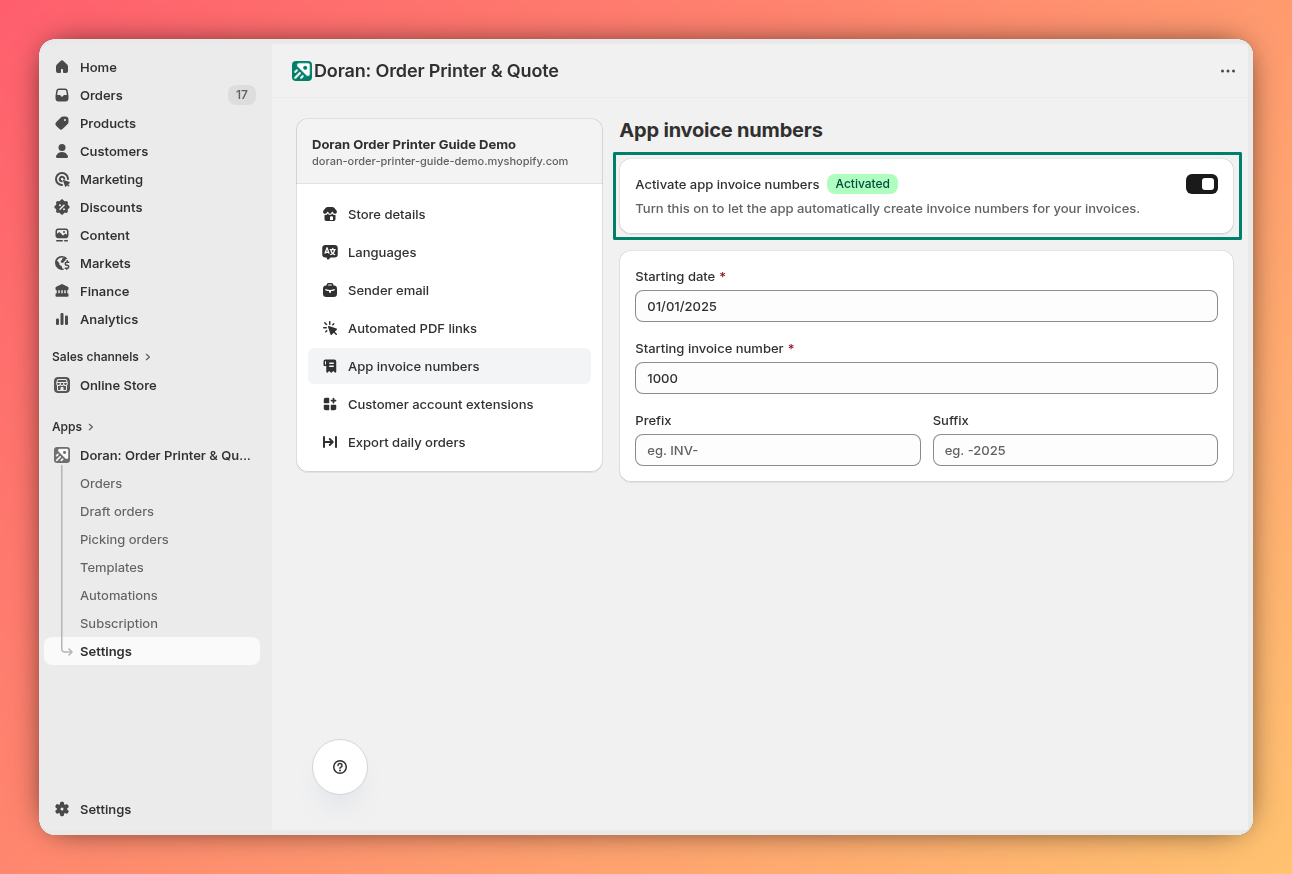
At the top of the page, you will find a toggle switch. Use this switch to enable or disable the custom invoice numbering functionality for all your orders.
Customize app invoice numbers
Starting date
This is the most important setting, as it determines when the app should start a new invoice numbering sequence.
For example:
- Yearly Reset: If you want your invoice numbers to reset every year, enter the first day of the year (e.g.,
January 1, 2024). - Quarterly Reset: If you want to reset numbers each quarter, enter the first day of the quarter (e.g.,
April 1, 2024).
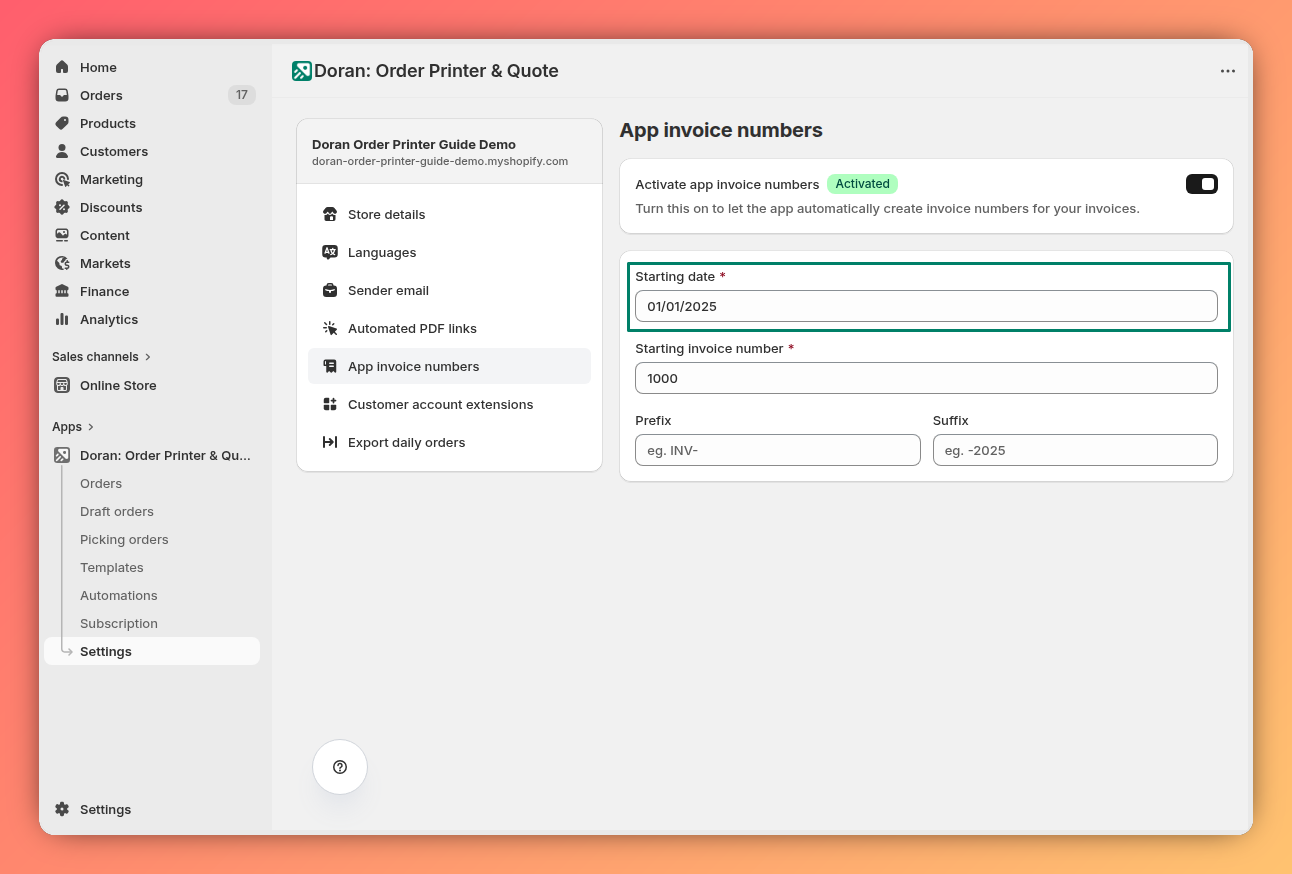
The app uses this date as the starting point for the new numbering cycle. All orders created on or after this date will use the new sequence.
Starting invoice number
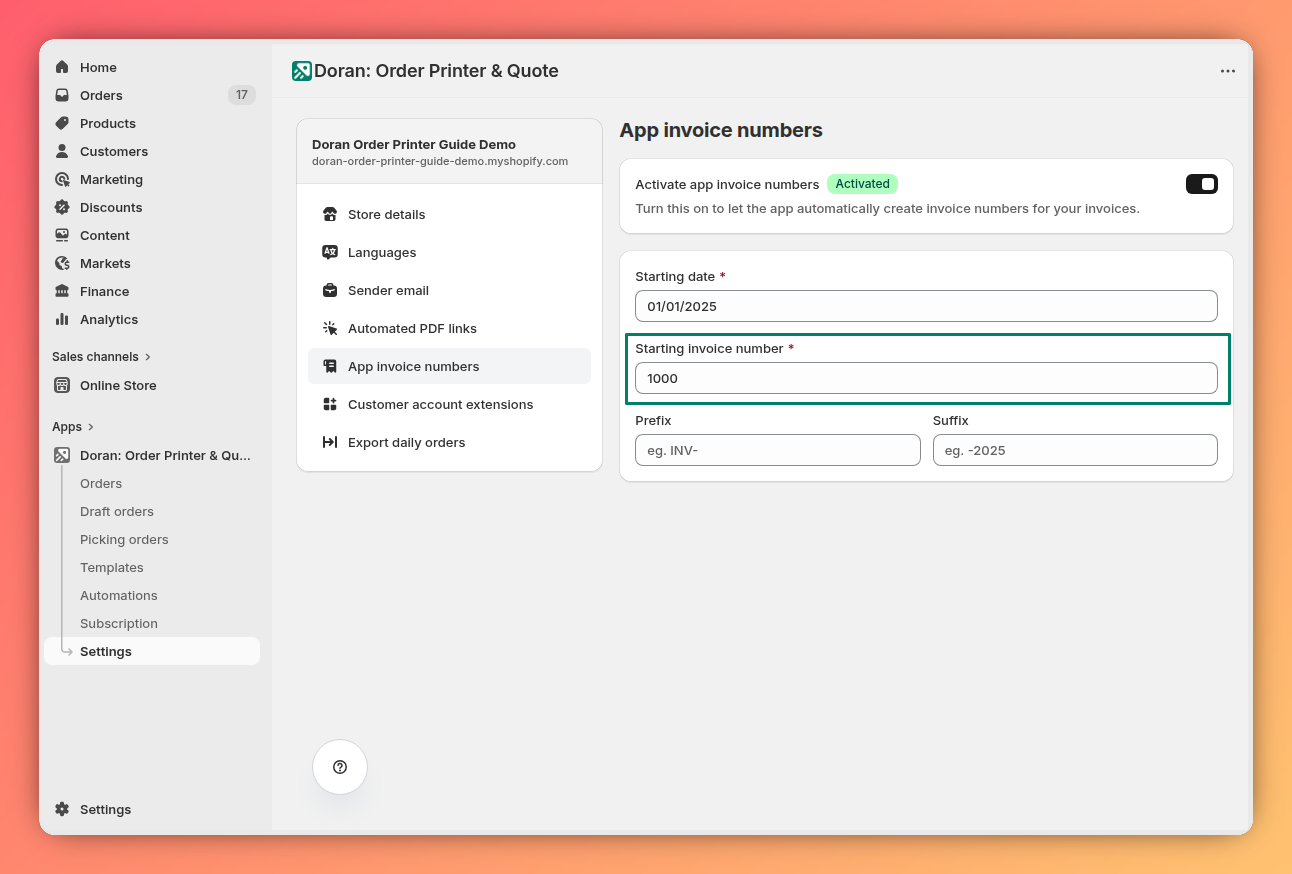
Enter the number you want the sequence to start with after the Starting date. For example, you might want the first invoice of the new period to be 1 or 1001.
Prefix
A prefix is the text that appears before the invoice number. This is useful for including company names, codes, or other identifiers.
Example: To create an invoice number like COMPANY-1000-2025, you would enter COMPANY- in this field.
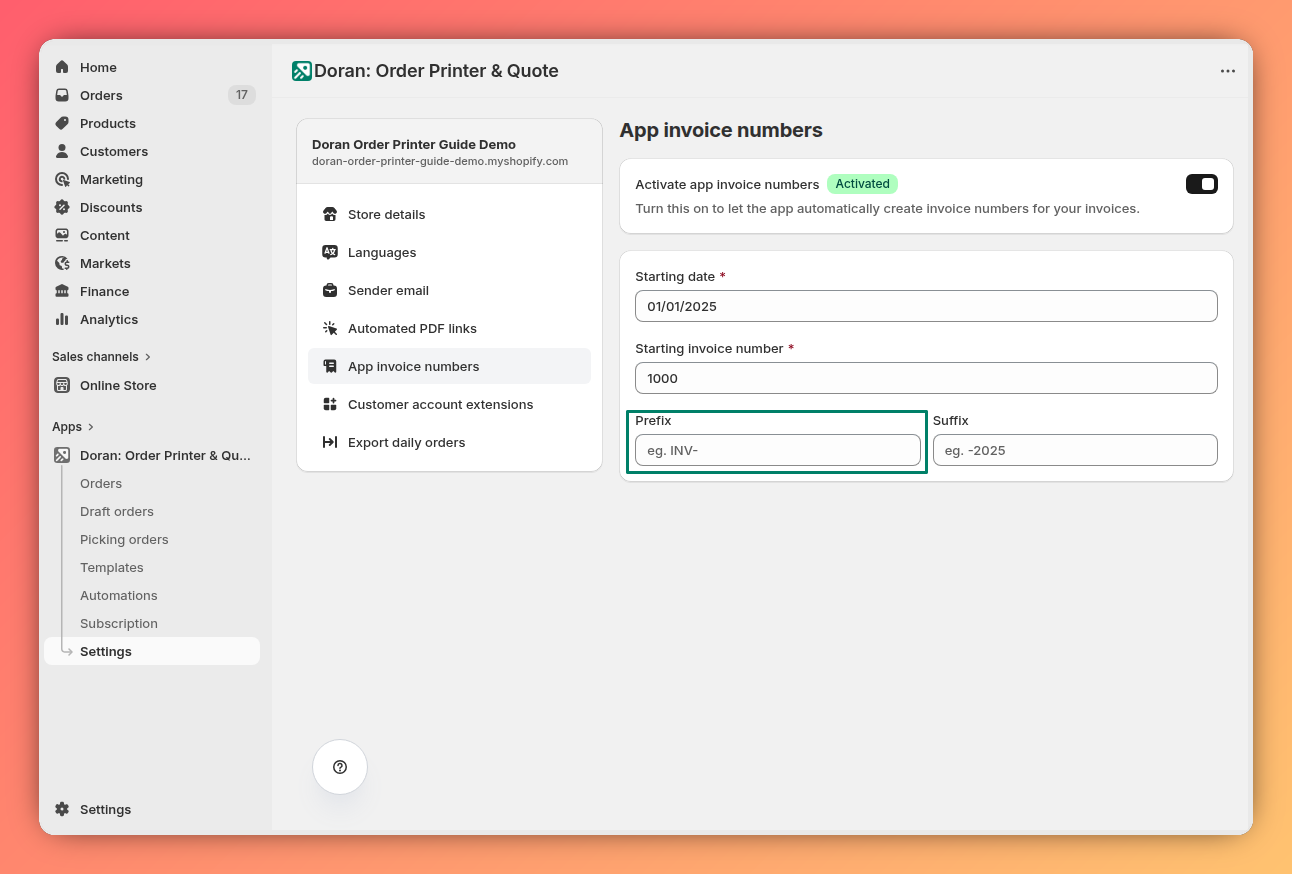
Suffix
A suffix is the text that appears after the invoice number. This is often used for the year or other tracking information.
Example: To create an invoice number like COMPANY-1000-2025, you would enter -2025 in this field.
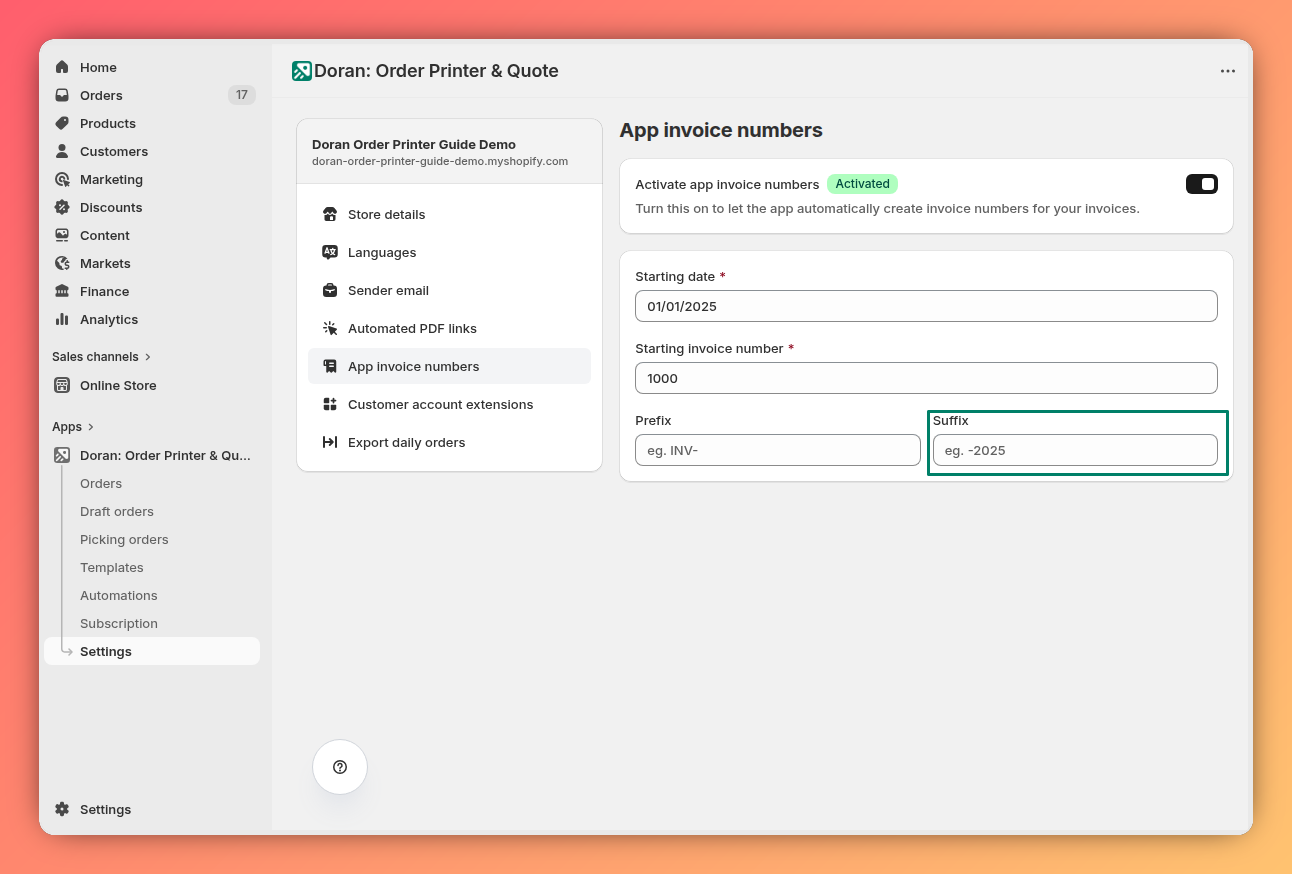
Combining these fields, if you set:
- Starting invoice number:
1000 - Prefix:
COMPANY- - Suffix:
-2025
The first invoice generated after the reset date will be COMPANY-1000-2025.
Automated PDF link
Learn how to generate an automated link that allows customers to download their Invoice, Packing Slip, or other PDF documents directly from their Shopify email notifications.
Customer account extensions
Learn how to use customer account extensions to allow your customers to download their PDF invoices directly from their order history page in their Shopify customer account.