Get started
Customize your shop information
This is the first step to ensuring all the information on your documents is accurate and professional. You can modify and personalize details about your shop, including:
- Basic information
- Address
- Contact information (email, phone number)
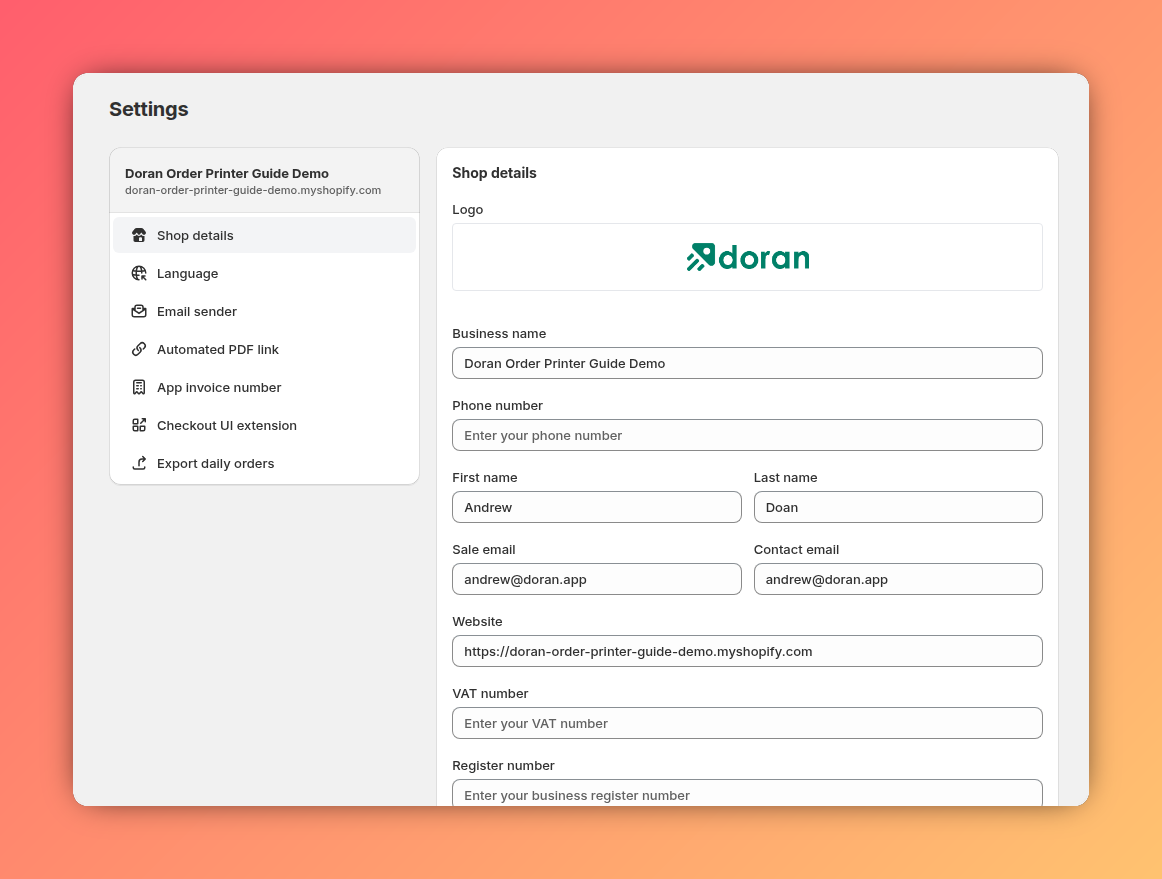
To save you time, Order Printer automatically fetches this information directly from your Shopify store upon installation. You just need to review it and make any necessary edits.
Customize your template
Now it's time to add your brand's touch! Order Printer allows you to fully customize your templates to perfectly match your brand's style. You can easily:
- Change the layout: Arrange information blocks exactly how you want them.
- Adjust the colors: Select primary colors that align with your logo and brand palette.
- Customize the content: Add your logo, a thank-you message, return policies, or any other information you want to share with your customers.

Print your order
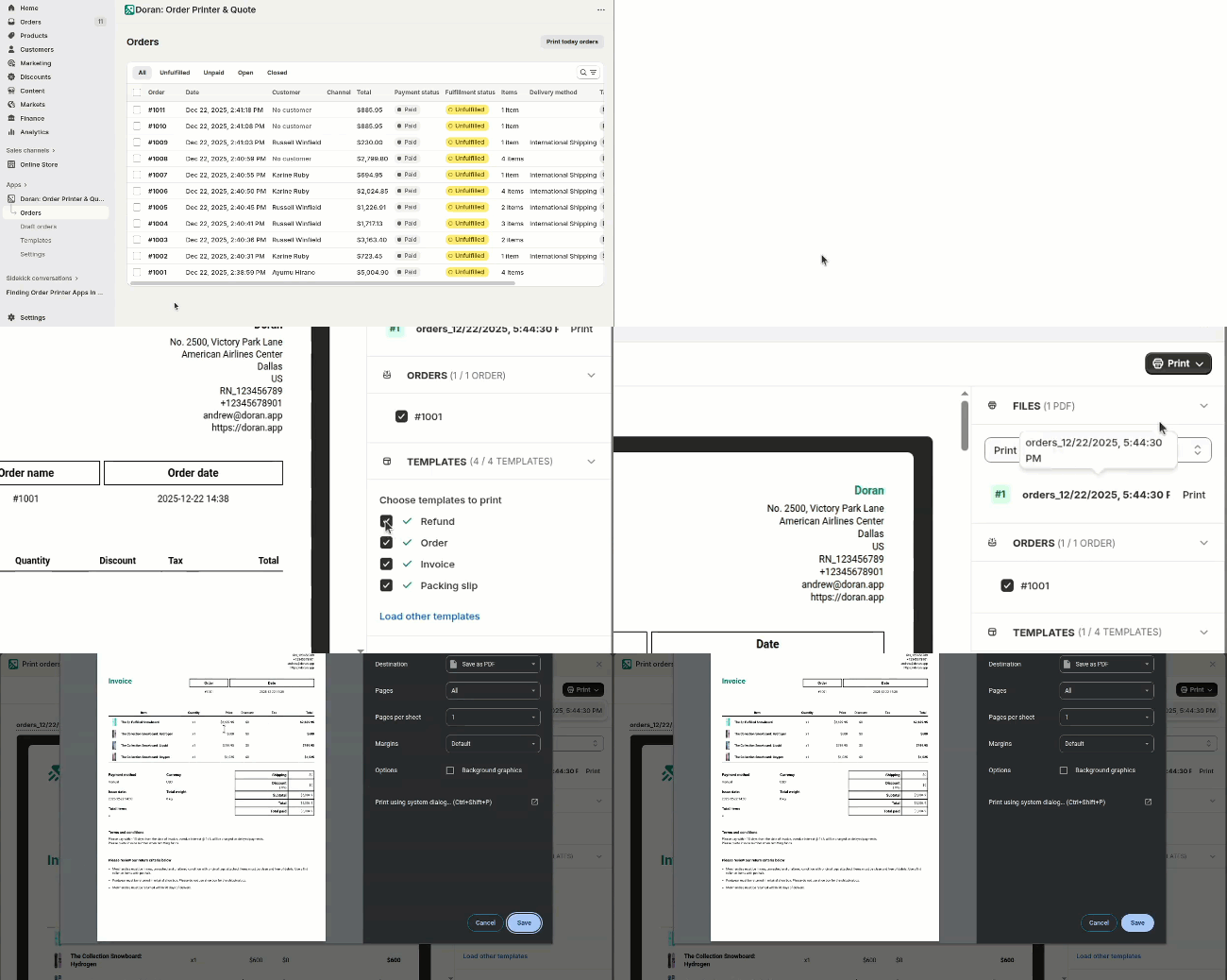
Once you've finished the setup, you're ready to print. With just a few clicks, you can quickly generate a clean, professional printout for your selected order.
From your orders admin page, simply select the order you want to print and click the button. Everything is automated to give you a perfect result instantly.
Welcome
Welcome to Order Printer 🎉
In app
Learn how to effectively view, filter, and manage your orders using the Orders Table. This guide covers how to use filters to find specific orders and perform bulk actions like printing, exporting, and picking multiple orders at once to streamline your fulfillment process.