In app
Access the menu
To view all orders inside Doran app, go to Orders.
Filtering your orders
Filters allow you to narrow down your order list to find exactly what you're looking for. You can use the following filters:
- Order Name: Search for an order by its specific name or number.
- Fulfillment status: Show orders based on their fulfillment stage (e.g., Fulfilled, Unfulfilled, Partially Fulfilled).
- Payment status: Filter orders by their payment status (e.g., Paid, Pending, Refunded).
- Tags: Find orders that have been marked with specific tags.
- Return status: Display orders based on their return status.


Order actions
You can perform actions on multiple orders simultaneously by selecting them from the table. This is useful for speeding up your daily workflow.
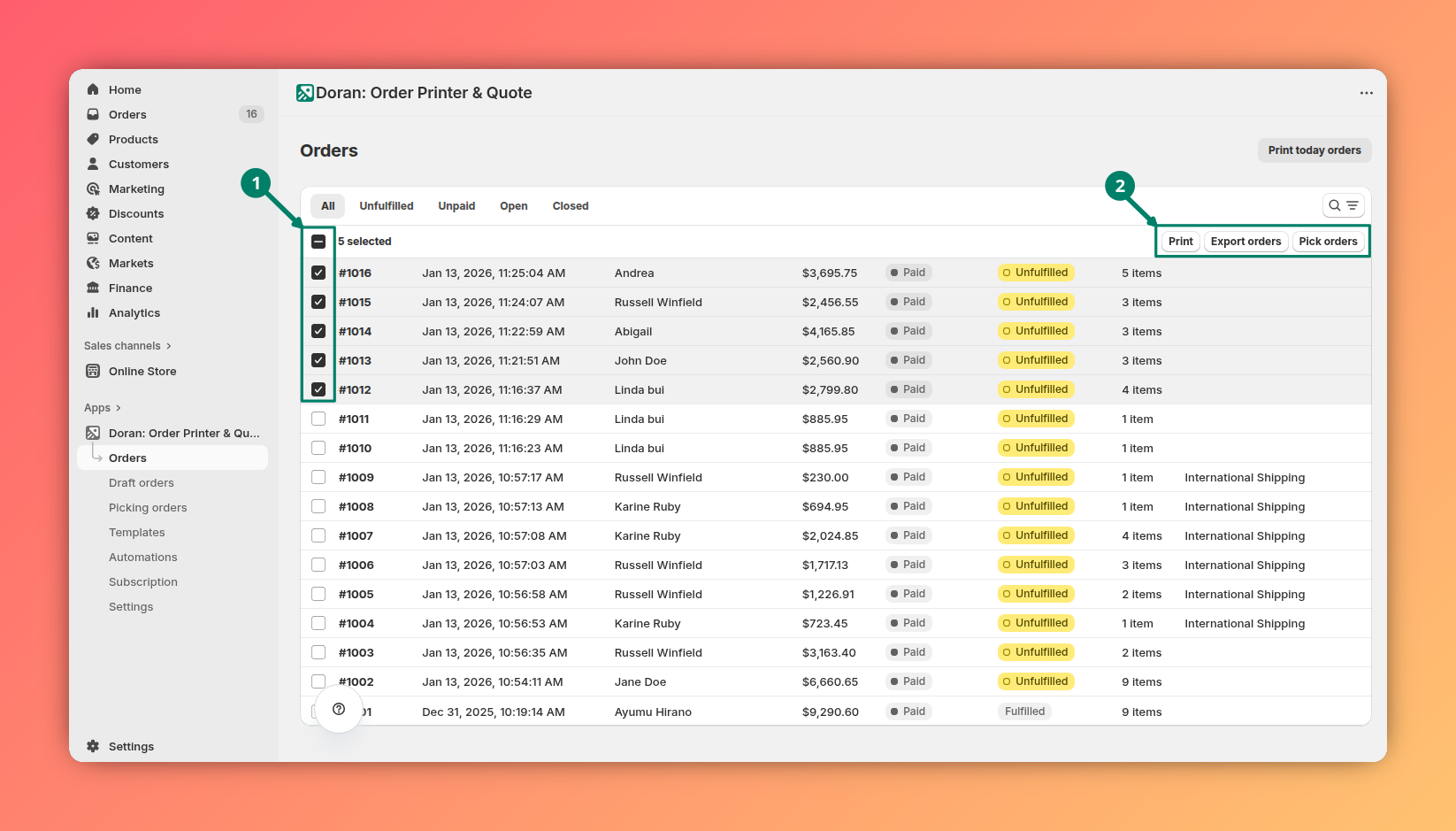
Print orders
This action allows you to print invoices or packing slips for multiple selected orders at once, saving you the time of processing each one individually. Learn more.
Export orders
Use this action to generate and export a PDF file of the invoices for all selected orders. The file will be sent to the email addresses you specify.
Pick orders
This feature is designed to help your warehouse team easily check and pick items for shipment. It creates a streamlined view or list that simplifies the order fulfillment process. Learn more.
Print a single order
To print a single order, you may click any order in the table to print. Customize printing PDF.
Quickly print today's orders
For even faster processing, you can use the Print today orders button. This action is a shortcut designed to get your daily orders ready for fulfillment with a single click.
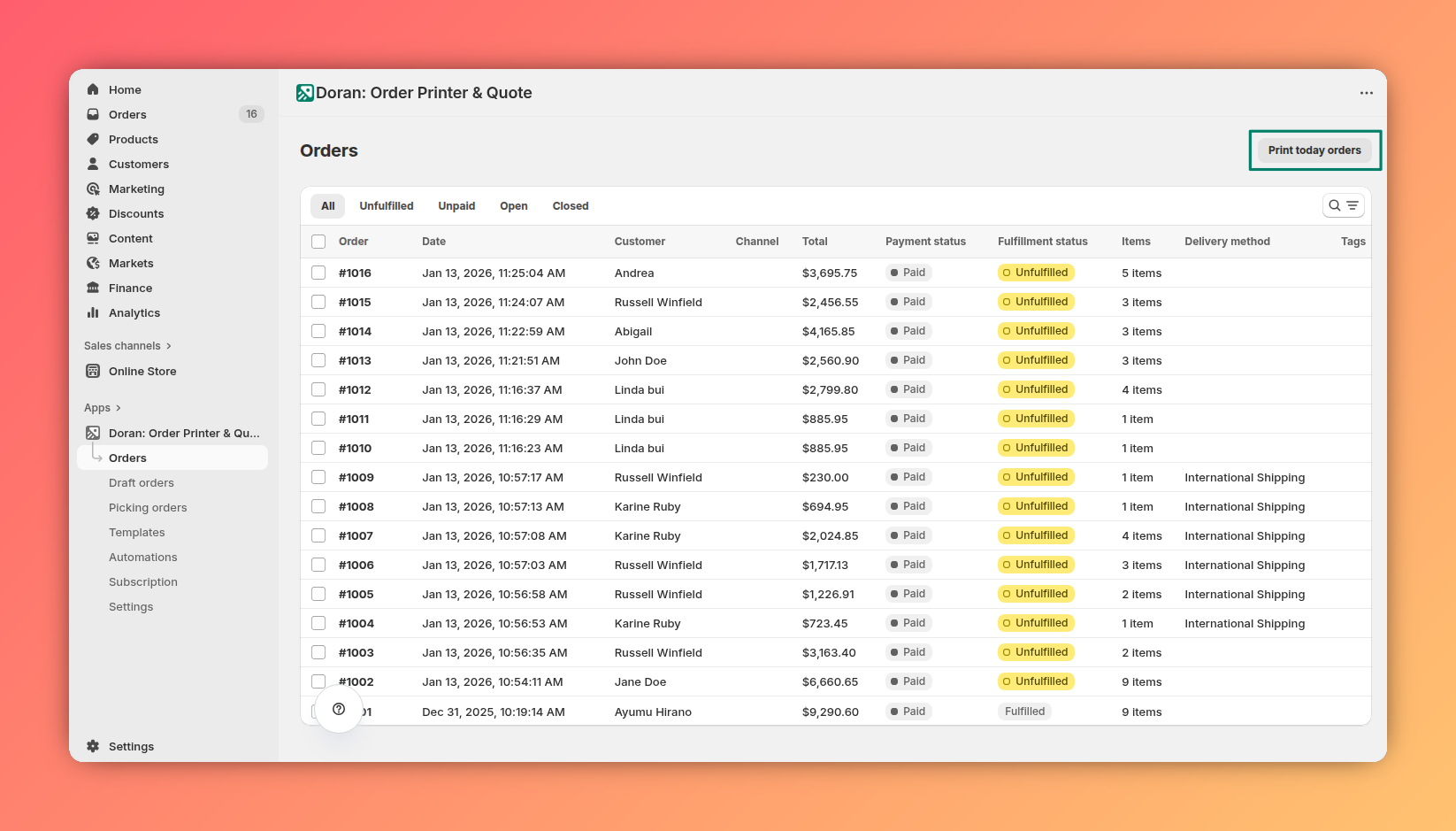
When you use this feature, the Doran app automatically finds all unprocessed orders from the current day and sends them to your printer.
Get started
Welcome to Order Printer! We're here to help you simplify your printing process and create professional invoices and packing slips that elevate your customer experience and strengthen your brand identity. In just a few simple steps, you'll be all set up and ready to print your first order. Let's get started!
Shopify admin
Learn how to print individual or multiple orders directly from your Shopify admin using the Doran app. This guide covers the printing process and explains the different output options available, such as combining templates into a single PDF or printing them separately.