Shopify admin
Access the menu
To view all draft orders inside Doran app, go to Orders > Drafts.
Print multiple draft orders
Use this method to print quotations for several draft orders at once.
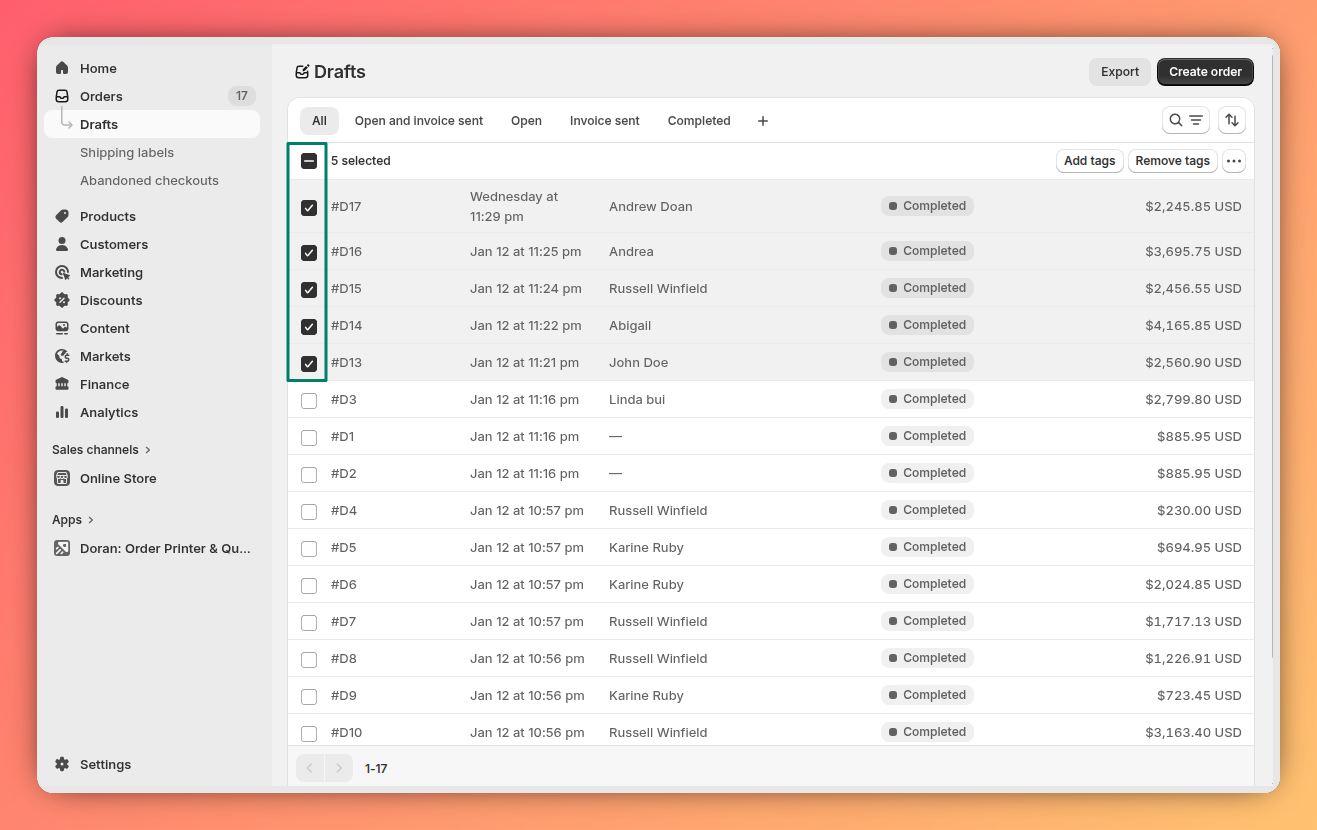
From your Shopify admin, select the draft orders you wish to print by checking the box next to each one.
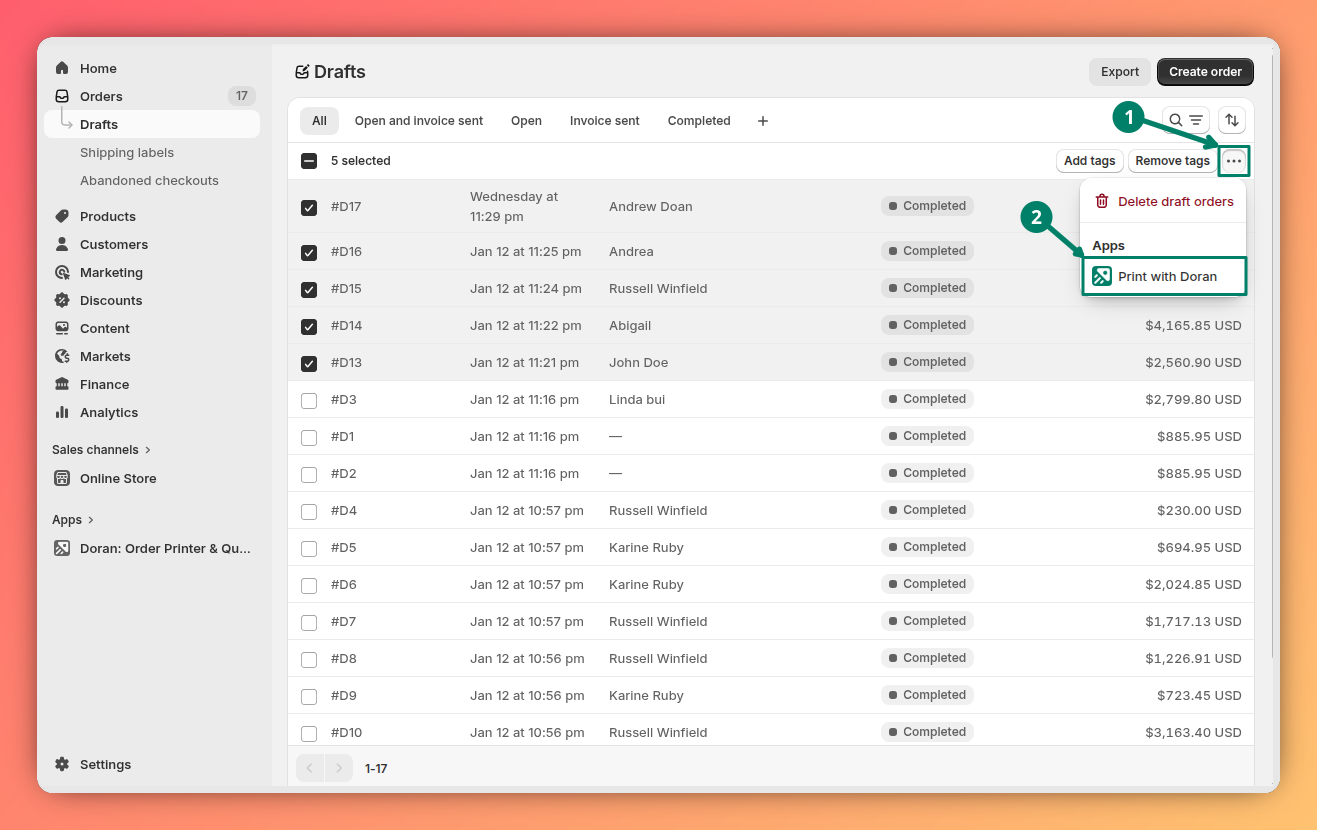
Click the three-dot menu button (...) that appears in the action bar at the bottom of the screen. Choose Print with Doran from the dropdown menu. You will be automatically redirected to the Doran app to finalize the printing process.
For details on customizing your print templates and settings, please refer to our guide on Print draft orders.
Print a single draft order
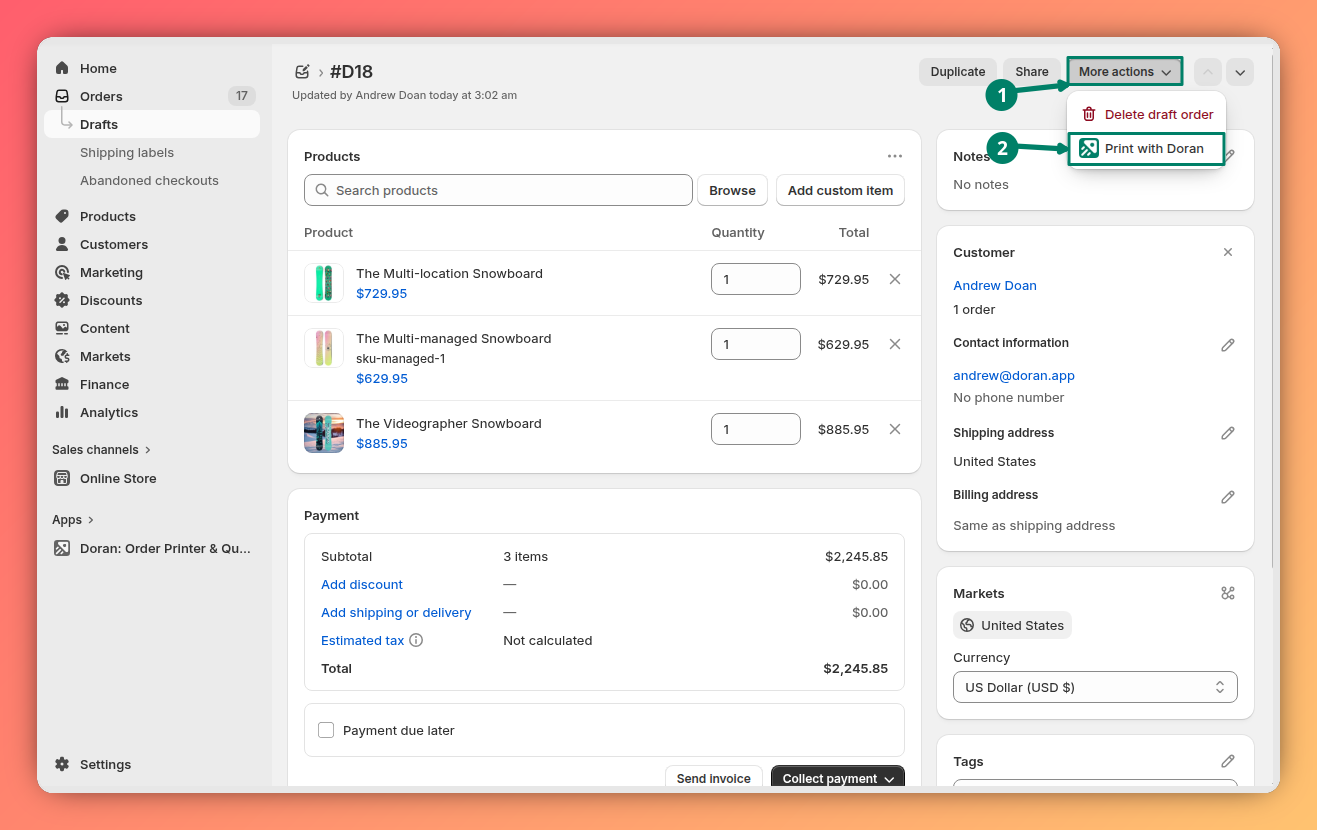
If you only need to print a quotation for one specific draft order, you can do it directly from the order's detail page.
For details on customizing your print templates and settings, please refer to our guide on Customizing and Printing Invoices.