Settings
Access the settings menu
To customize your template, first open the template you wish to edit. Once the editor is open, click on the Settings tab to view all available options.
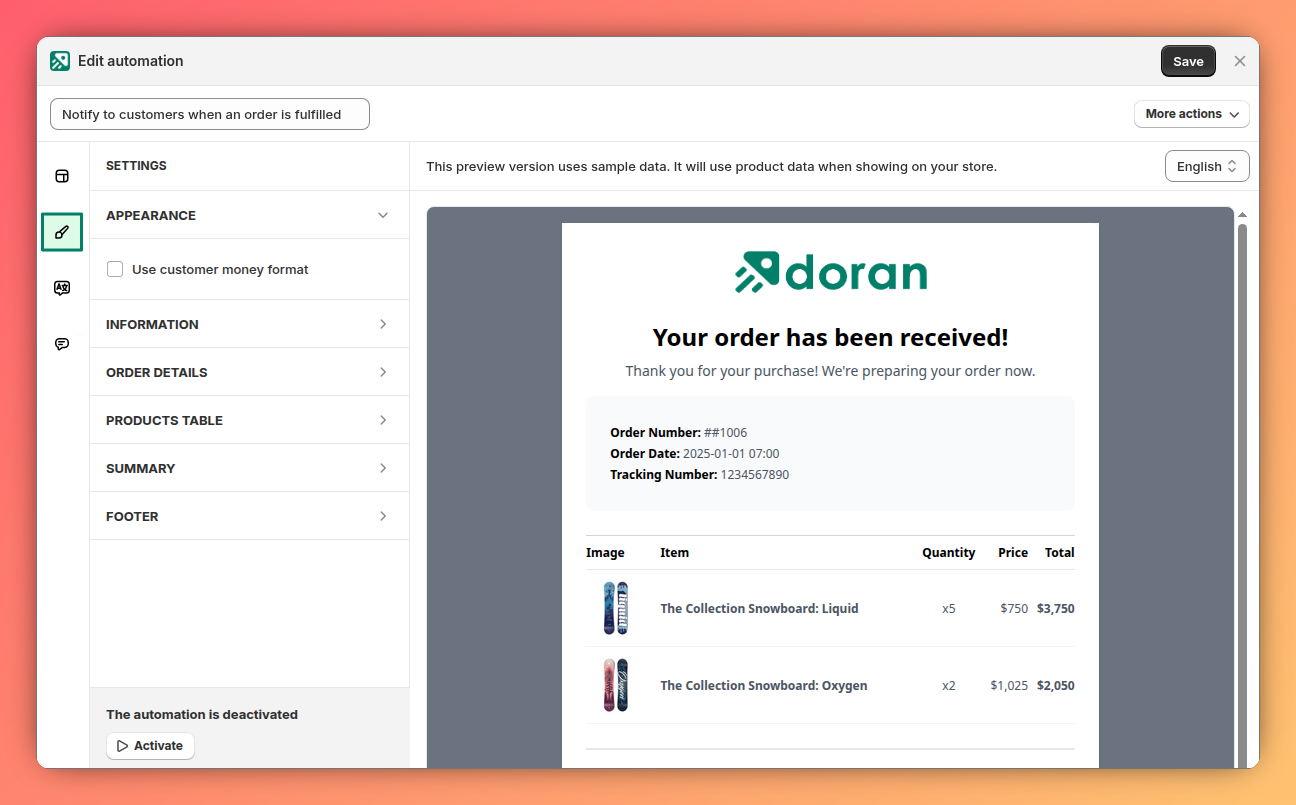
Available settings
The settings available for customization will vary depending on the specific automation theme you are using. Each theme offers a unique set of options to match its design and functionality.
If you need to edit the core email content or structure beyond the available settings, please contact our support team for assistance.
Preview your changes
As you adjust the settings, the template preview pane on the right updates in real-time. This allows you to see the effect of your changes instantly, without needing to save or refresh the page.
Appearance
Learn how to configure your automation's recipients, trigger events, PDF attachments, and visual branding. This guide covers everything from setting logos and colors to choosing fonts and testing your setup.
Translations
This guide explains how translations work inside your automation, where to find the Translations tab, how to add new languages, customize existing text, and remove translations. It walks you through each step clearly so you can localize your automations and ensure your printed documents display the right wording in every language.