How to show different videos for different products?
If you want to save time and let Doran display videos automatically based on the product, explore the Smart section.
Set up display rules for each widget
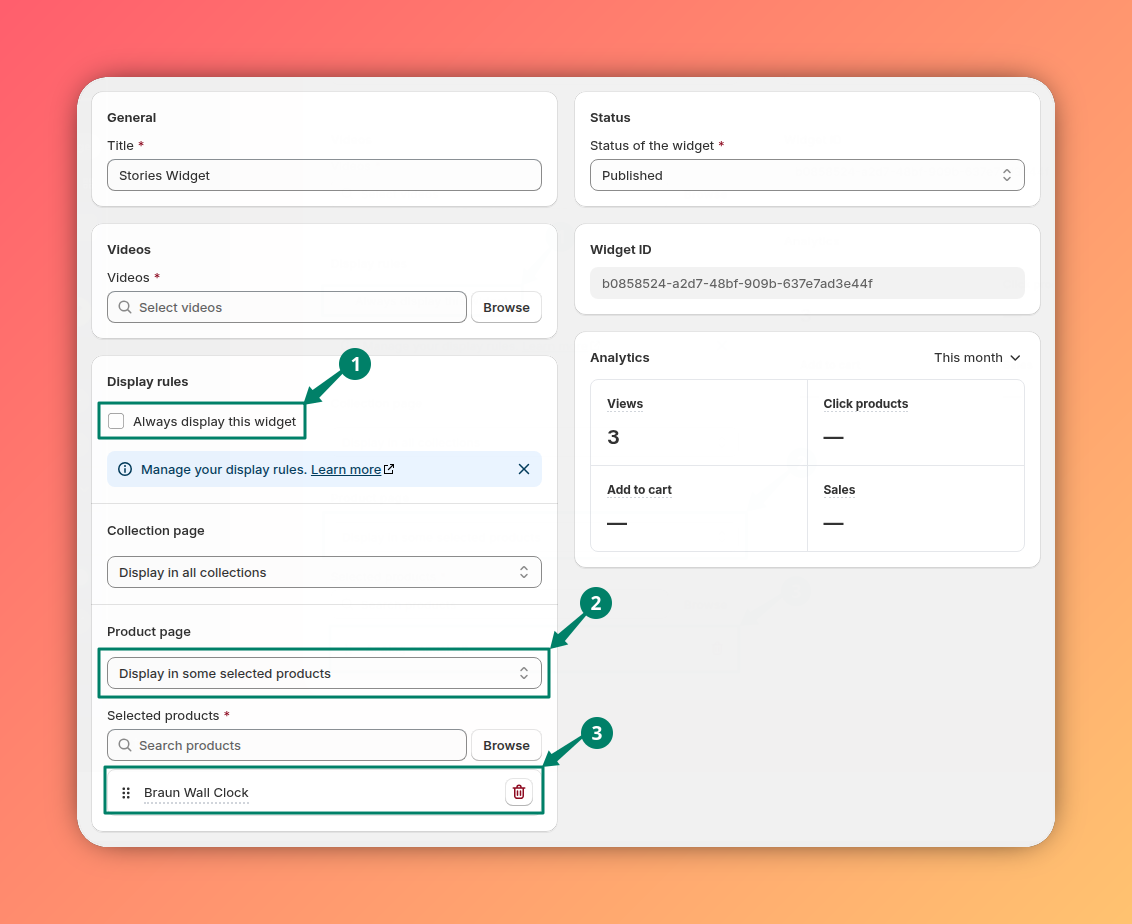
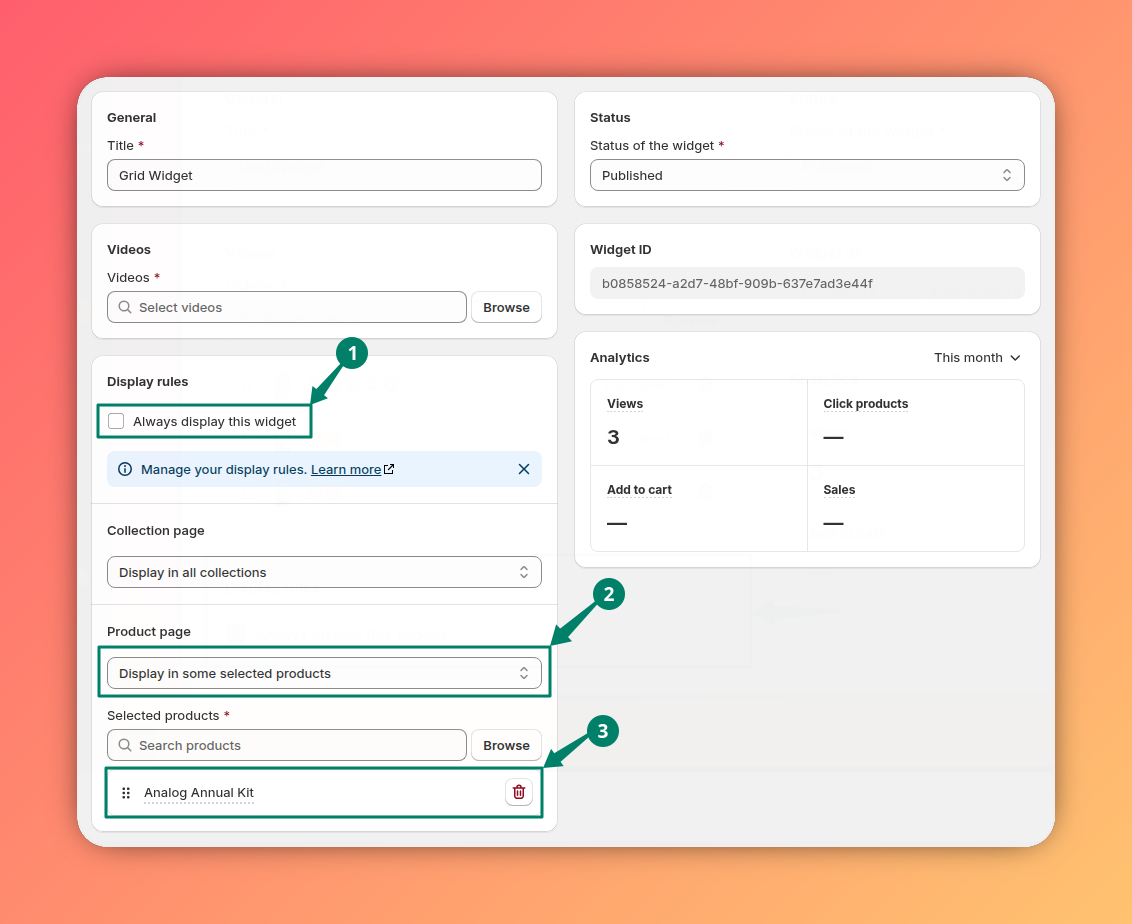
In this guide, we use the Braun Wall Clock and Analog Annual Kit as examples.
First, we need to create two new widgets (Stories widget and Grid widget) with the following display rule settings.
Choose widgets in the Shoppable Videos Section
Open the theme editor via Shopify Admin > Themes > Customize
Add a new section.
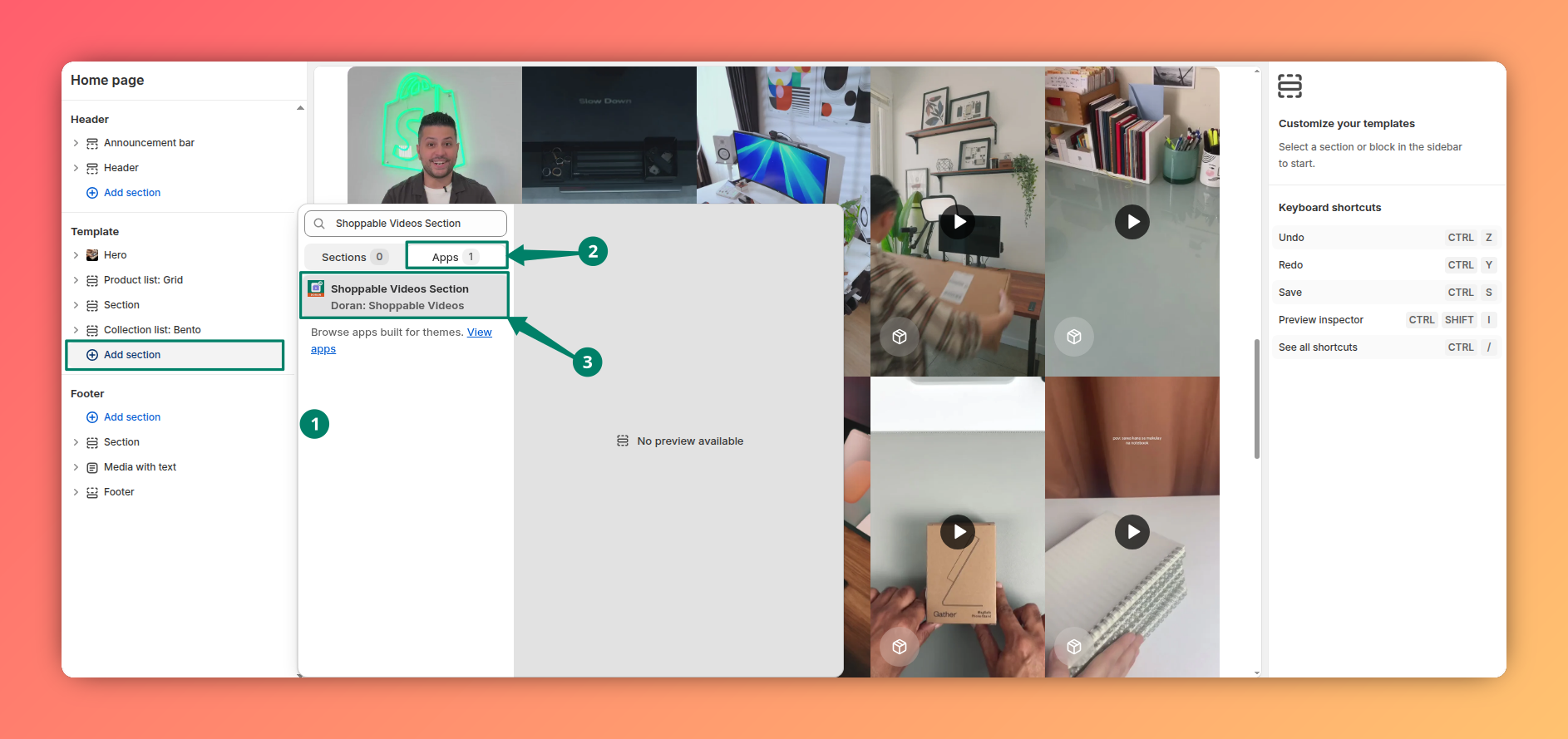
Select the two widgets you created in step 1.

Expected results
- If you view the product Braun Wall Clock, you will see videos of the widget Stories widget
- If you view the product Analog Annual Kit, you will see videos of the widget Grid widget
AI
Learn how to enable AI-powered video analysis for your store, customize generated content, and personalize the AI writing style to match your brand voice and SEO needs.
How to integrate with a legacy theme or page builders?
Currently, most themes already support Online Store 2.0, however if you are using a legacy theme, follow the steps below to integrate with your theme. If you want to integrate with a page builder, you can use this article as well.