Giving Partners Access to Your Store
What are collaborators?
-
Collaborators are Shopify Partners who have access to your store. They're similar to staff but offer additional benefits.
-
Collaborators can log in from their Partner Dashboard, and their access to your store can be set to expire.
-
Collaborators also don't count towards your staff limit.
Check your email
Shopify send emails to only store owner and who have permissions. Please confirm you are using your owner email or ask them to approve.
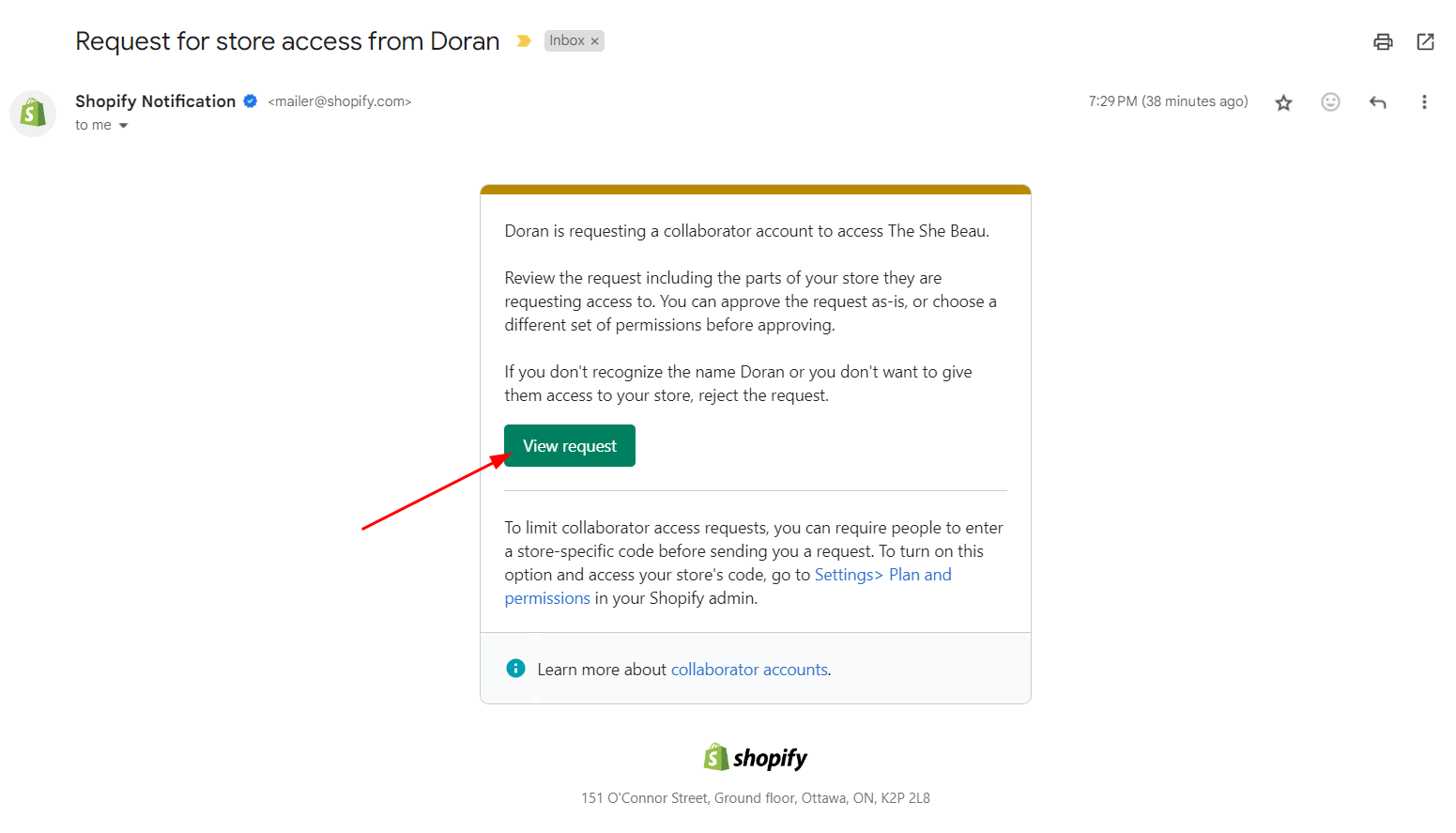
After we sent a request to create a new collaborator account, you will receive a Review request email. Please choose the View request.
Check pending collaborators
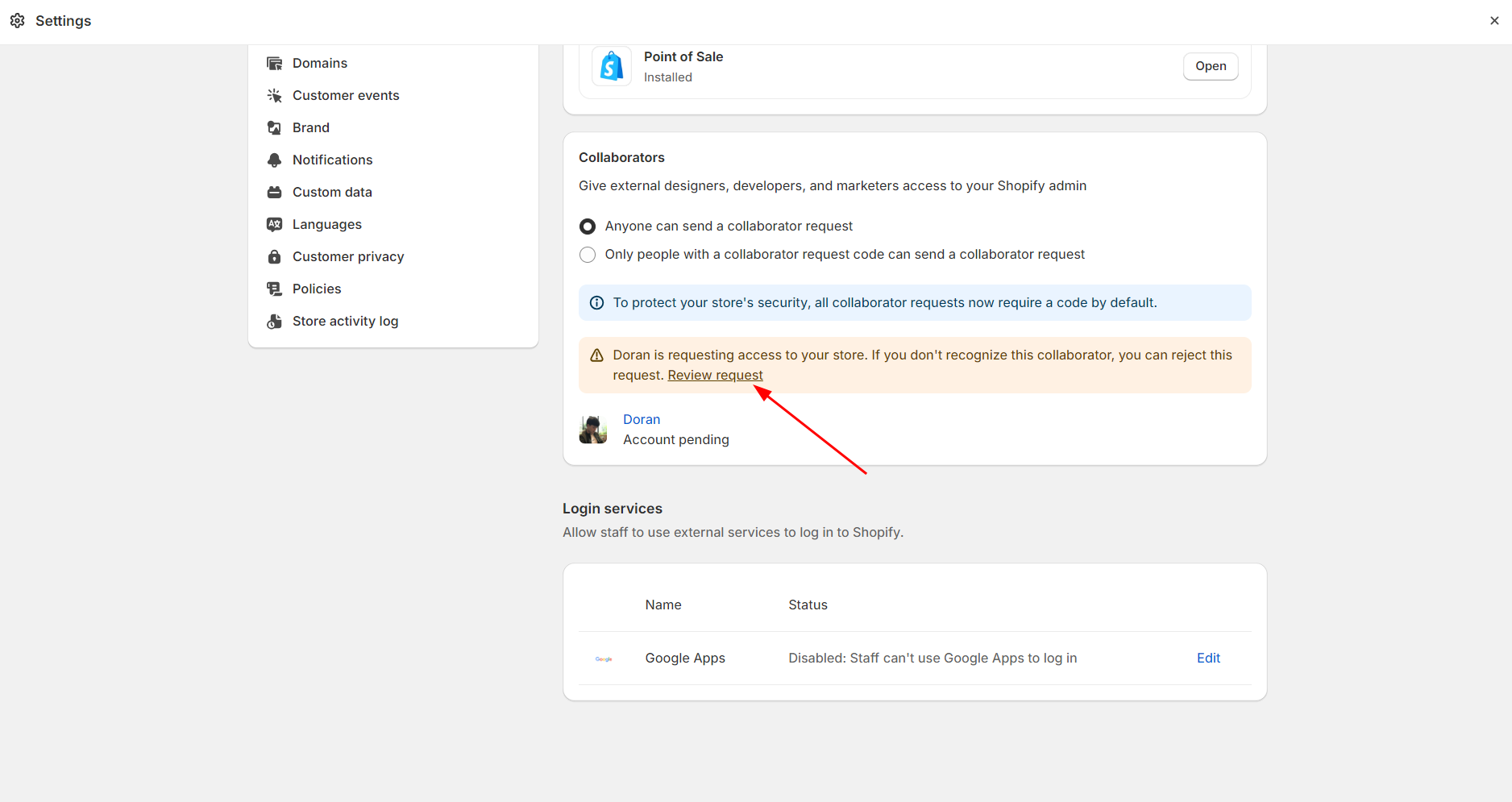
Please go to Users and permissions
In the Collaborators section, you'll notice a message prompting you to click on Review Request.
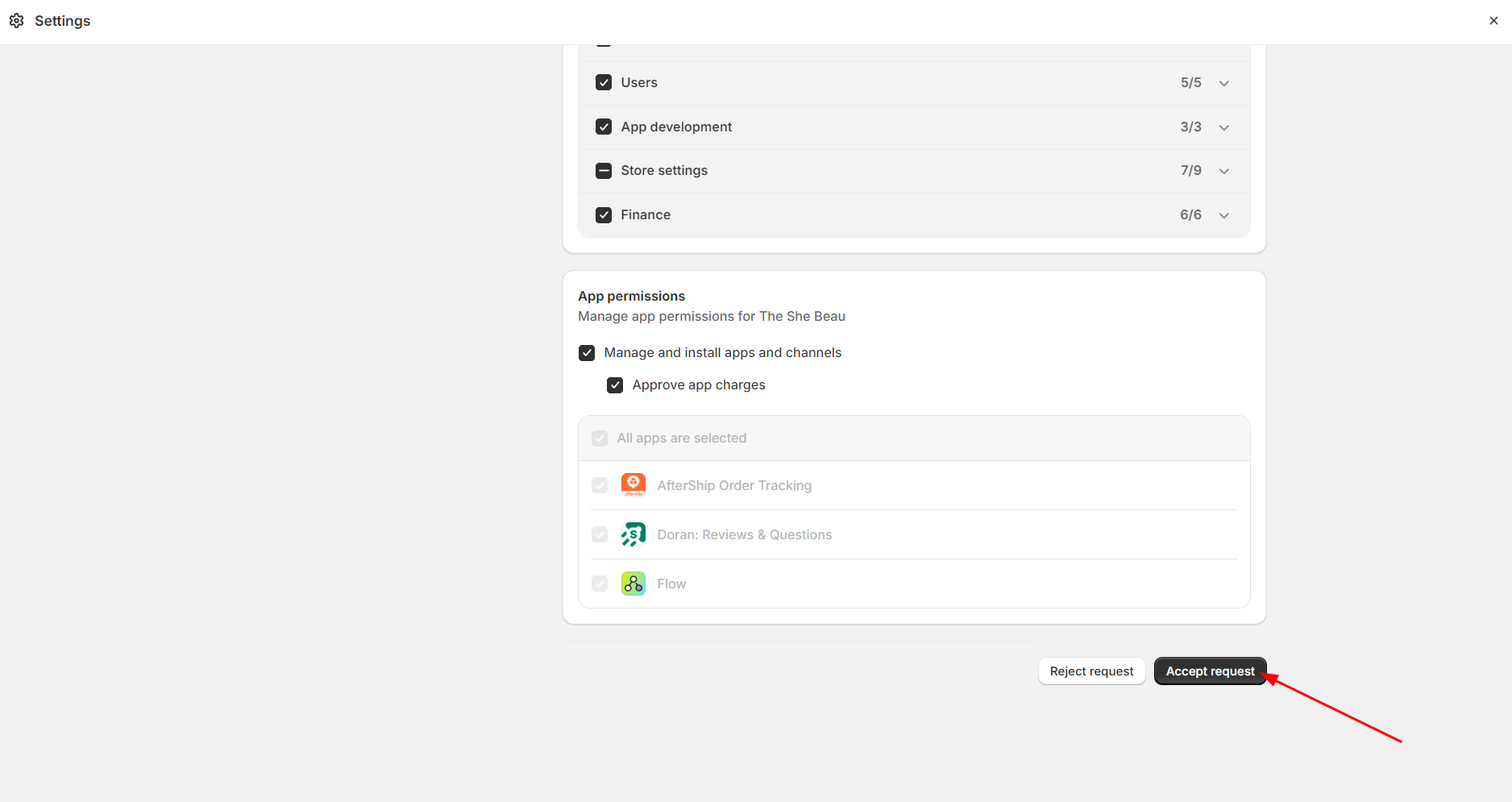
Then click Accept request to approve our request
Account
Learn how to manage collaborator and staff accounts in Doran apps.
Staff account
You can add staff accounts to your store, allowing your team members to complete various tasks within your Shopify admin. Staff accounts can be assigned specific permissions, giving you control over what your staff can view and do in your Shopify admin or Shopify POS. Adding additional staff accounts is only available on the Shopify plan and higher.